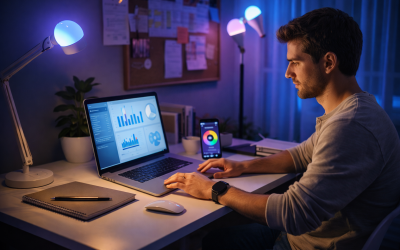
Smartphones are powerful tools, yet many people use only a fraction of what their devices can actually do. Beyond calls, messages, and social media, smartphones can simplify daily tasks, reduce mental load, and support productivity when used intentionally. This is why tech tips that make smartphones more useful are increasingly relevant for everyday life, not just for tech enthusiasts.
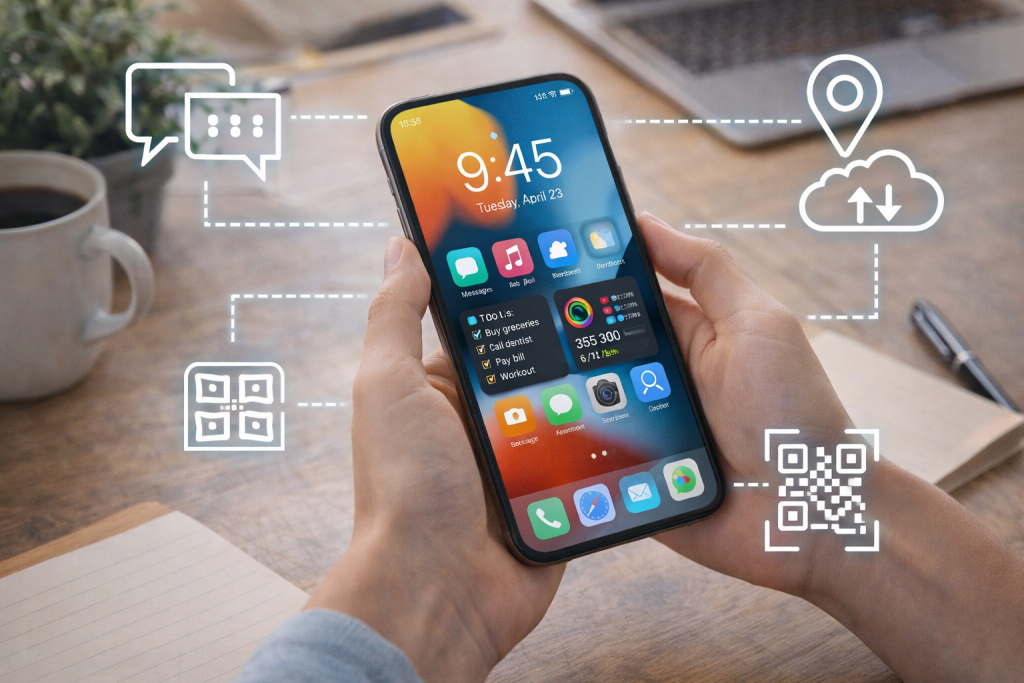
Modern smartphones are designed to adapt to user behavior, automate routine actions, and centralize information. Small adjustments in settings and habits can dramatically improve how useful a phone feels throughout the day, without requiring new apps or technical expertise.
This article explores tech tips that make smartphones more useful by focusing on built-in features, practical configurations, and habits that improve efficiency rather than increase screen time.
Why Smartphones Often Feel Overwhelming Instead of Helpful
Many people feel distracted or frustrated by their phones, even though the technology itself is highly capable. This usually happens because devices are configured for attention capture rather than utility.
Common issues include:
- Excessive notifications
- Disorganized apps and files
- Redundant or unused features
- Lack of automation for routine tasks
Making a smartphone more useful starts with intentional setup rather than downloading more apps.
Notification Management as a Productivity Tool
One of the most impactful tech tips that make smartphones more useful is controlling notifications.
Prioritizing Essential Alerts
Not all notifications deserve equal attention. Adjusting settings to allow only essential alerts helps reduce constant interruptions.
Effective strategies include:
- Allowing notifications only from key contacts
- Disabling promotional and social alerts
- Using summary notifications instead of real-time alerts
This approach turns notifications into useful signals rather than distractions.
Using Focus and Do Not Disturb Modes
Most smartphones include focus modes that silence non-essential notifications during specific times. These modes support:
- Concentrated work sessions
- Uninterrupted rest
- Clear boundaries between tasks
Scheduled focus modes reduce the need for constant manual adjustments.
Organizing the Home Screen for Functionality
How apps are arranged strongly influences how phones are used.
Grouping Apps by Purpose
Instead of grouping apps by category names, organizing them by function improves usability.
Examples include:
- A folder for daily essentials
- A folder for travel and navigation
- A folder for financial tasks
Functional grouping reduces search time and cognitive load.
Reducing Home Screen Clutter
Limiting the number of apps visible on the home screen helps prevent impulsive usage. Less frequently used apps can remain in the app library or secondary screens.
Tech Tips That Make Smartphones More Useful Through Automation
Automation transforms smartphones from reactive devices into proactive tools.
Using Built-In Automation Features
Most modern phones include automation tools that can:
- Turn settings on or off based on location
- Adjust brightness or sound automatically
- Launch apps when certain conditions are met
Automating repetitive actions saves time and mental energy.
Location-Based Shortcuts
Examples of useful location-based automations include:
- Turning on navigation when leaving home
- Silencing notifications at work
- Activating Wi-Fi when arriving at known locations
These automations operate quietly in the background.
Smart Use of Voice Assistants
Voice assistants are often underused despite their convenience.
Hands-Free Task Management
Voice commands are especially useful for:
- Setting reminders
- Adding calendar events
- Creating notes or shopping lists
Using voice input reduces friction when hands are occupied or time is limited.
Asking for Information Efficiently
Voice assistants can quickly retrieve information such as weather updates, travel times, or basic calculations without opening multiple apps.
Calendar and Reminder Optimization
Calendars and reminders are central to smartphone usefulness.
Moving Beyond Basic Scheduling
Modern calendar apps support:
- Multiple calendars for different life areas
- Time-blocking for focused work
- Automatic travel time estimates
Using these features improves planning accuracy and reduces scheduling conflicts.
Contextual Reminders
Location-based or time-based reminders ensure tasks appear when they are most relevant, increasing follow-through.
Tech Tips That Make Smartphones More Useful for Daily Planning
Smartphones can act as external memory systems.
Centralizing To-Do Lists
Using one primary task manager prevents fragmentation. Keeping all tasks in one place improves clarity and reduces missed responsibilities.
Daily Review Habits
Spending a few minutes each morning or evening reviewing tasks and appointments increases awareness and reduces last-minute stress.
Battery and Performance Optimization
A useful smartphone must remain reliable throughout the day.
Managing Background Activity
Limiting background app refresh and unnecessary location access preserves battery life and improves performance.
Charging Strategically
Short charging sessions during the day help maintain battery health and prevent sudden shutdowns during critical moments.
File and Photo Management for Practical Use
Disorganized files reduce efficiency.
Regular Photo and File Cleanup
Deleting duplicates and unnecessary screenshots frees storage and improves searchability.
Using Search and Tags
Modern phones support powerful search functions. Adding simple tags or using consistent naming conventions makes files easier to locate.
Accessibility Features That Improve Everyday Use
Accessibility tools often benefit all users, not just those with specific needs.
Text and Display Adjustments
Adjusting text size, contrast, and display settings improves readability and reduces eye strain.
Gesture and Shortcut Customization
Custom gestures and shortcuts reduce the number of steps needed to perform frequent actions.
Tech Tips That Make Smartphones More Useful for Communication
Communication tools work best when streamlined.
Pinned Conversations and Favorites
Pinning important chats or contacts ensures quick access without scrolling.
Scheduled Messages and Replies
Some messaging platforms support scheduled sending, which helps manage communication across time zones or busy schedules.
Using Widgets for At-a-Glance Information
Widgets provide useful information without opening apps.
Commonly useful widgets include:
- Weather summaries
- Calendar agendas
- Task lists
Well-chosen widgets reduce unnecessary app switching.
Privacy Settings That Improve Confidence and Control
Privacy management contributes to a more comfortable user experience.
Reviewing App Permissions
Limiting access to location, camera, and microphone improves security and reduces background activity.
Using Built-In Privacy Dashboards
Privacy dashboards provide insight into how apps use data, supporting informed decisions.
Learning to Use Fewer Apps More Effectively
Adding apps often creates more complexity.
Removing Redundant Apps
Deleting apps with overlapping functions simplifies workflows and reduces distractions.
Mastering Core Tools
Becoming proficient with a few well-chosen apps increases efficiency more than constantly switching tools.
Tech Tips That Make Smartphones More Useful Without Increasing Screen Time
The goal is not to spend more time on phones, but to use them better.
Effective strategies include:
- Automating routine actions
- Reducing unnecessary notifications
- Centralizing information
- Improving setup and organization
These changes allow smartphones to support life rather than dominate it.
Common Mistakes That Reduce Smartphone Usefulness
Avoiding these pitfalls improves results:
- Ignoring settings and customization options
- Allowing unlimited notifications
- Overloading the device with apps
- Treating the phone as entertainment only
Intentional use leads to greater value.
Long-Term Benefits of Smarter Smartphone Use
Over time, optimized smartphone use supports:
- Improved focus
- Reduced mental clutter
- Faster task completion
- Better digital wellbeing
Phones become tools rather than sources of distraction.
Conclusion
Smartphones already have the capability to simplify daily life. Tech tips that make smartphones more useful focus on intentional setup, automation, organization, and habit design rather than constant app downloads. By adjusting notifications, using automation, organizing information, and leveraging built-in tools, users can significantly improve how their devices support daily routines.
When smartphones are configured thoughtfully, they reduce friction instead of creating it. Over time, these small changes lead to clearer focus, better time management, and a more balanced relationship with technology.
Sources
- Harvard Business Review – Technology use, productivity, and focus
https://hbr.org/topic/technology-and-analytics - Google Digital Wellbeing – Smartphone usage insights and tools
https://wellbeing.google - Apple Support – iOS productivity and accessibility features
https://support.apple.com - Pew Research Center – Smartphone usage and digital behavior trends
https://www.pewresearch.org/internet/